N / 01
NotebookLM in place
Use NotebookLM’s notebooks, chat, and Studio inside Zotero instead of moving between applications.
Independent software / Release 005
Zys Notebook 0.4.1 · Zotero
Zys Notebook is a standalone Zotero plugin that places Google NotebookLM beside your library. Read, chat, work in Studio, and prepare attached PDFs for upload without leaving Zotero.
Requires Zotero 8 or 9 · Google account · Internet connection
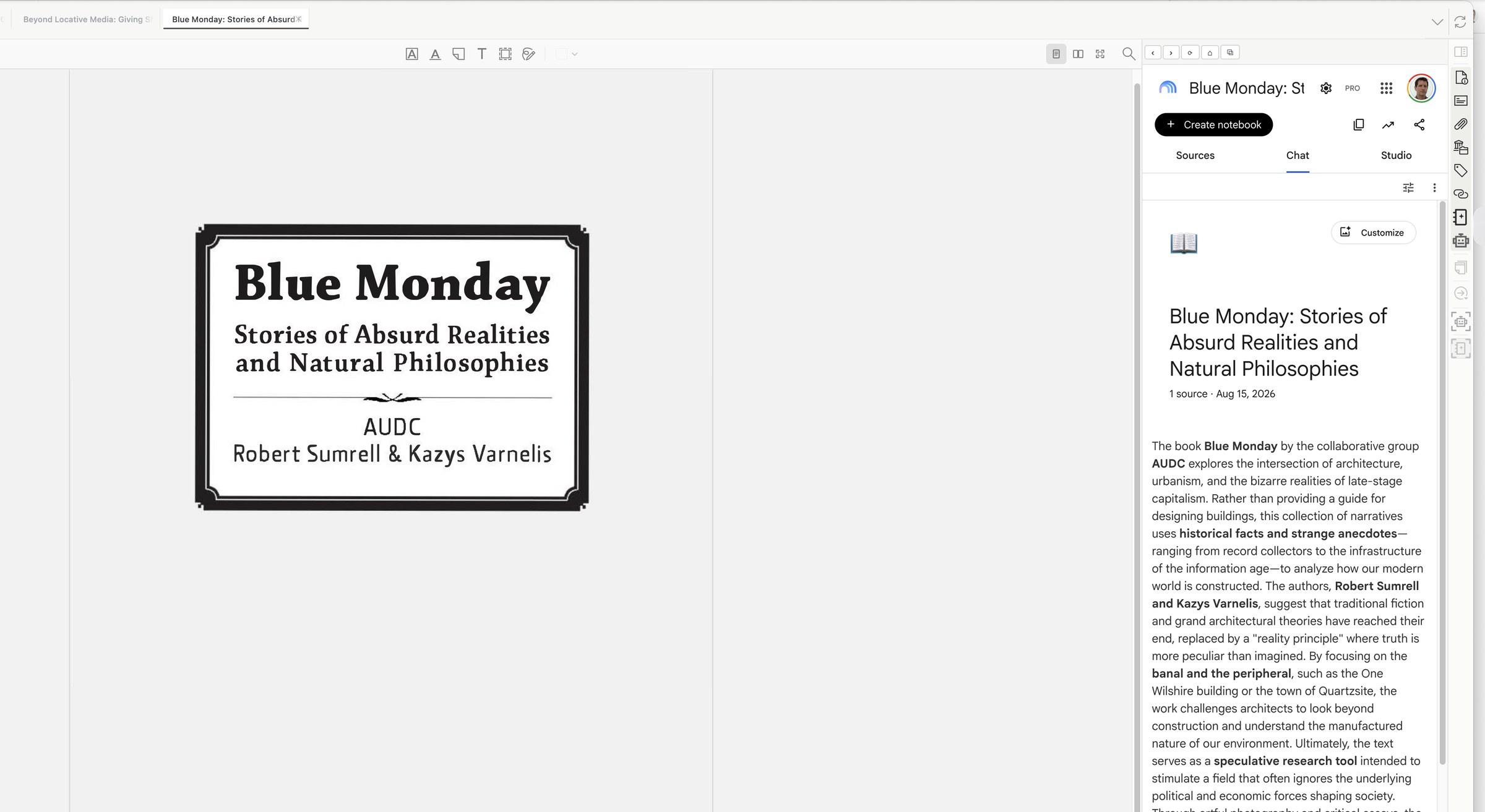
Open NotebookLM in Zotero’s item pane or full pane and keep one signed-in session as you move between library items and PDFs.
N / 01
Use NotebookLM’s notebooks, chat, and Studio inside Zotero instead of moving between applications.
N / 02
Choose Send PDF to NotebookLM from a Zotero item. Zys Notebook opens Add sources and copies the file path for the native upload picker.
N / 03
Move the same signed-in NotebookLM view between Zotero’s compact item pane and full pane without losing your place.
Save zys-notebook.xpi to your Mac.
In Zotero, open Tools → Plugins. Choose the gear menu, select Install Plugin From File…, and open the XPI.
Restart Zotero if asked, select the NotebookLM sidebar button, and sign in to your Google account inside the pane.
| Version | 0.4.1 |
|---|---|
| System | Zotero 8.0–9.x |
| Format | XPI plugin |
| Download | zys-notebook.xpi |
| SHA-256 | 3cbef995dbee37fd5f79769d54bdee0cfa52bcbf0553cf1d3b55035352a799a8 |
This page uses no analytics, cookies, or third-party resources. The plugin loads Google NotebookLM and uses the Google session you sign into there. PDF upload remains an explicit action through the system file picker.