SOFTWARE IS LOST
INDEPENDENT SOFTWARE CATALOG
2026
~*~ software.is-lost.org ~*~
Page View for Zotero
version 0.3.12 · Zotero · macOS
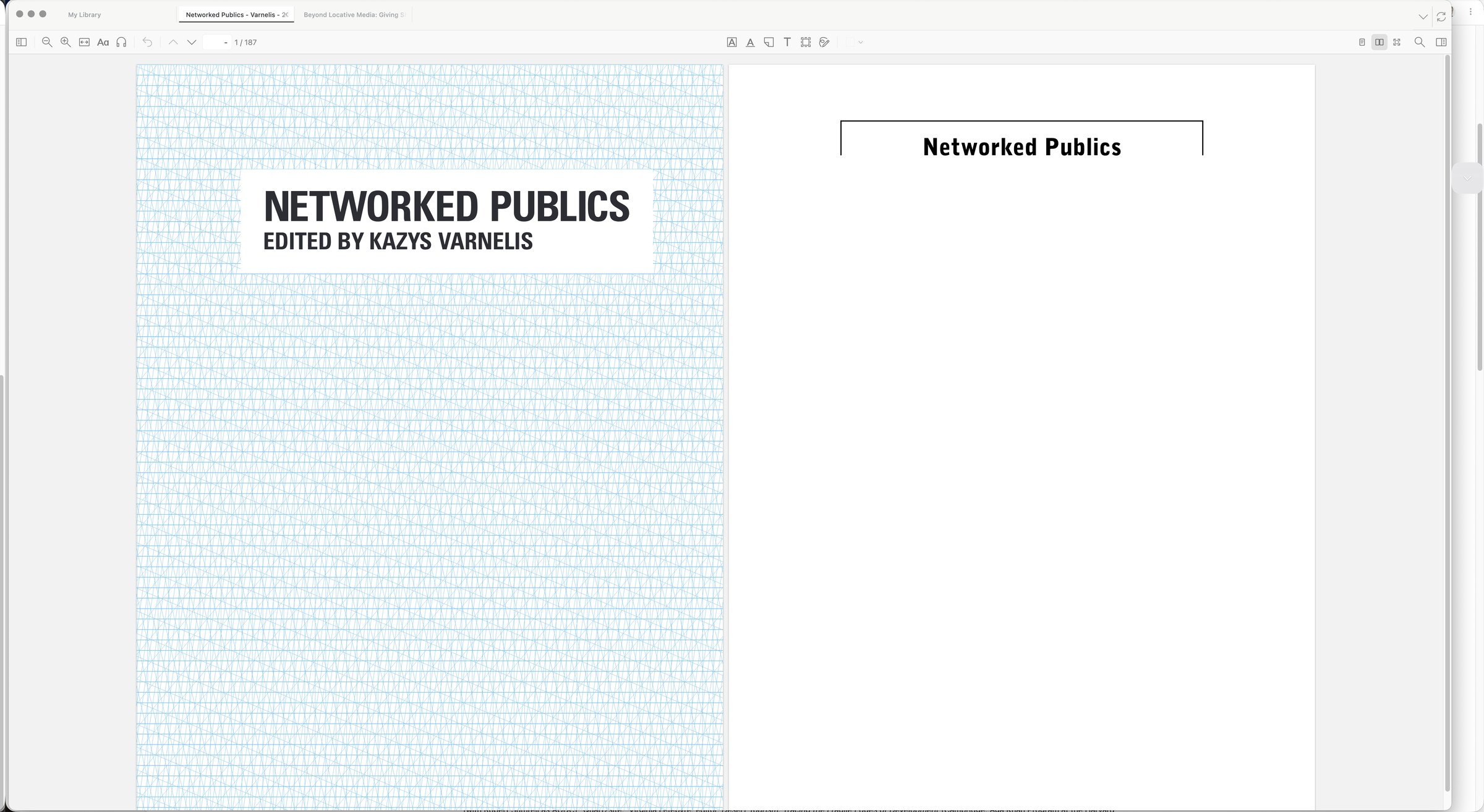
Read Zotero PDFs page by page or as two-page spreads, fitted to the window.
Features
- Single page: Cmd-Shift-1 for page-at-a-time reading.
- Two-page spread: Cmd-Shift-2 for facing pages, or Cmd-Shift-0 to return to normal scrolling.
- Focus mode: Cmd-Option-F to hide distractions and keep the document in view.
Requirements
- Zotero 9 or 10 on macOS.
Install
- Download the add-on. Save zotero-page-view.xpi to your Mac.
- Open Zotero’s plugin manager. In Zotero, choose Tools > Plugins, then select the gear menu.
- Install the XPI. Choose Install Plugin From File…, select zotero-page-view.xpi, and confirm.
Download
- [zotero-page-view.xpi](https://github.com/kvarnelis/zotero-page-view/releases/download/v0.3.12/zotero-page-view.xpi)
- XPI add-on.
- SHA-256 73a4fc4763733ab9863dd44e12c7ef7ce016cf30b7dc5b8a1a2e9d6b0068e39c
Source
This page uses no analytics, cookies, or third-party resources.