SOFTWARE IS LOST
INDEPENDENT SOFTWARE CATALOG
2026
~*~ software.is-lost.org ~*~
NotebookLM Pane for Zotero
version 0.4.4 · Zotero · standalone plugin
Put NotebookLM beside your Zotero library.
Features
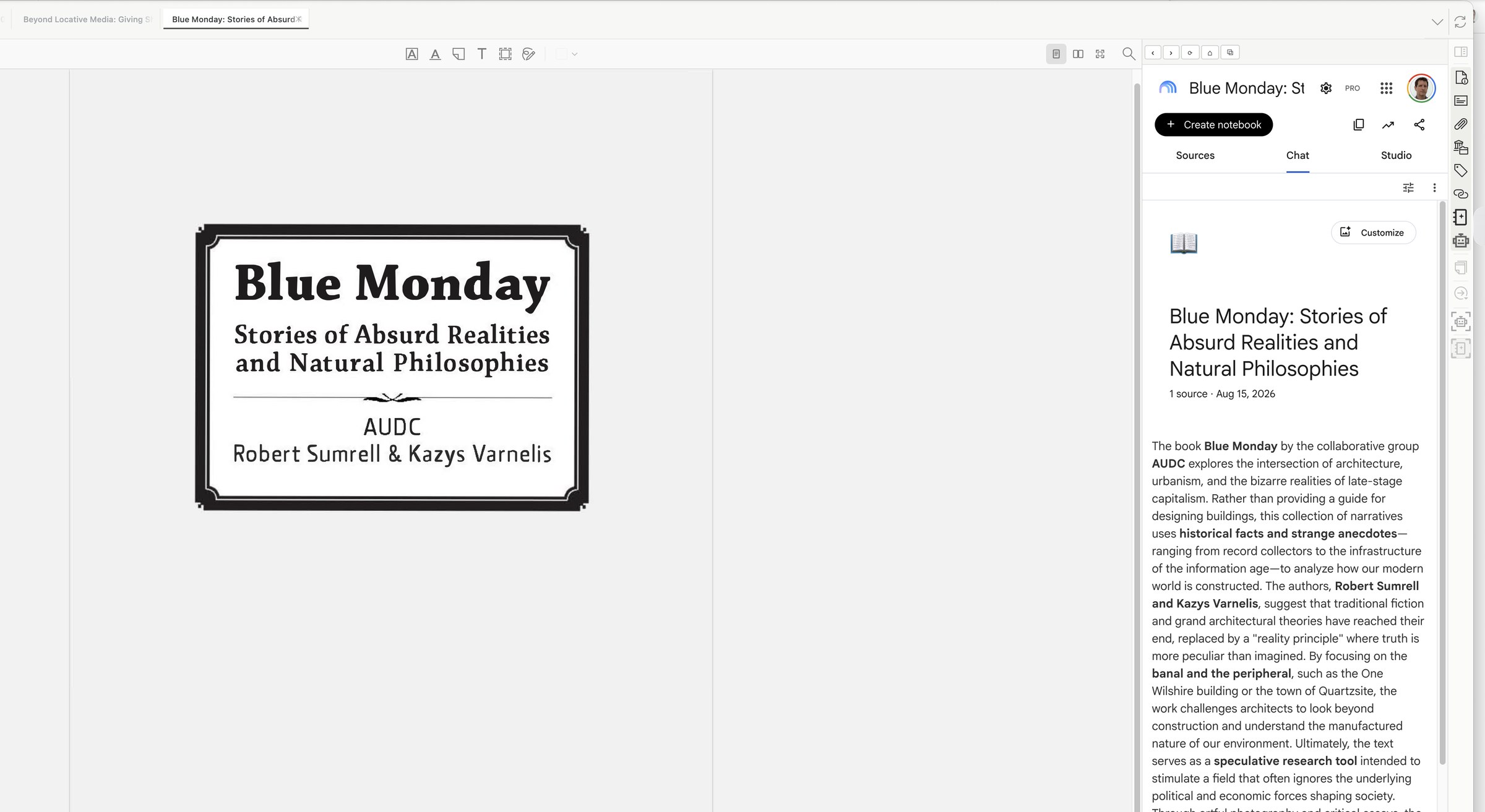
- Open NotebookLM in Zotero’s item pane or full pane.
- Keep one signed-in session as you move between library items and PDFs. Move the same signed-in NotebookLM view between Zotero’s compact item pane and full pane without losing your place.
- Use NotebookLM’s notebooks, chat, and Studio inside Zotero.
- Choose Send PDF to NotebookLM from a Zotero item. NotebookLM Pane for Zotero opens Add sources and copies the file path for the native upload picker.
- The plugin loads Google NotebookLM and uses the Google session you sign into there.
Requirements
- Zotero 9.0–10.0.x.
- Google account.
- Internet connection.
Install
- Download the plugin. Save zotero-notebooklm-pane.xpi to your Mac.
- Install it in Zotero. In Zotero, open Tools > Plugins. Choose the gear menu, select Install Plugin From File…, and open the XPI.
- Open NotebookLM. Restart Zotero if asked, select the NotebookLM sidebar button, and sign in to your Google account inside the pane.
Download
- [zotero-notebooklm-pane.xpi](https://github.com/kvarnelis/zotero-notebooklm-pane/releases/download/v0.4.4/zotero-notebooklm-pane.xpi)
- XPI plugin.
- SHA-256 ab2e596bb6095578eaa3561f451ca57f5ffd9b760b2459af379d7713156f447f
Source
This page uses no analytics, cookies, or third-party resources.